If you run Apple Search Ads (now officially “Apple Ads”), March 2026 is a big moment.
Apple is introducing additional ad positions within Search Results. Until now, Search Results has been relatively simple: one ad at the top, one winner per query, and most optimisations revolve around defending that spot or deciding when it is worth chasing.
With more ad slots coming into play, the opportunity grows, but so does the risk of inefficient spend. The best way to prepare is to get closer to what really drives outcomes in Search Results: auction position, keyword intent, and how paid and organic interact.
This post covers what is changing, what to watch for, and how to use Apple Search Ads auction data to avoid surprises. ✅
What is changing in March 2026? 📅
Apple has confirmed a few key points about the rollout:
More ads will appear in Search Results, including positions further down the results list (not only the existing top slot).
The rollout is phased across markets, reaching all markets by the end of March.
Your existing Search Results campaigns are automatically eligible. No restructure required.
You cannot choose a position. Apple decides where you show based on the auction and relevance.
Search Results ads can still use a default product page or a Custom Product Page (CPP).
So yes, there is more Search Results inventory coming. The more important question is what that does to auction dynamics and performance.
Why this matters: Search Results is the highest-intent moment 🎯
Apple’s own stats are a good reminder of why Search Results is so valuable:
Nearly 65% of downloads happen directly after a search
Top-of-results Search Results ads have driven 60%+ average conversion rate (based on Apple’s reported average over a recent 12-month period)
That is why Search Results budgets tend to be the most sensitive. It is also why even small changes to placements can have outsized effects.
More placements means:
More ways to win visibility
More ways to spend faster than expected
More overlap between paid and organic results (and more cannibalization risk)
The biggest shift: “Almost winning” starts to matter
In the old single-slot world, the main question was simple: “Did we win the top slot?”
In a multi-slot world, the question becomes:
Where do we land when we do not win #1, and what does that mean for delivery and cost?
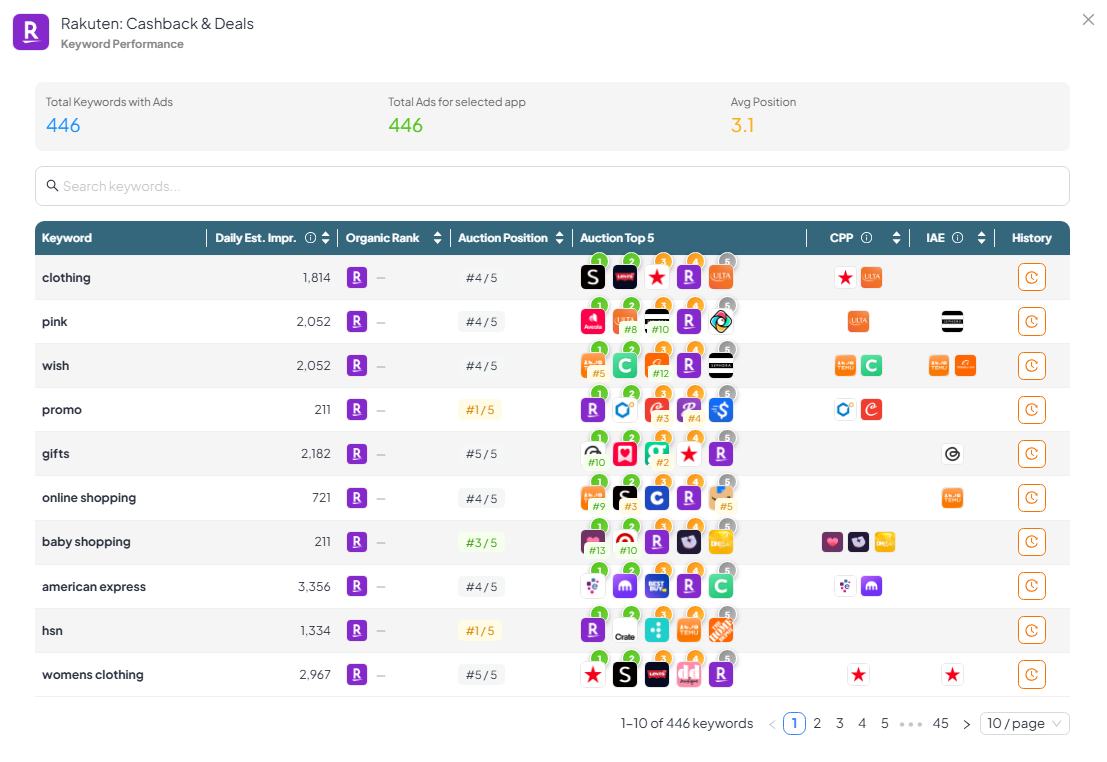
If you regularly land #2 to #5 for a keyword today, that may translate into real delivery once those placements are live. That is why auction-position visibility is suddenly much more useful than it was before.
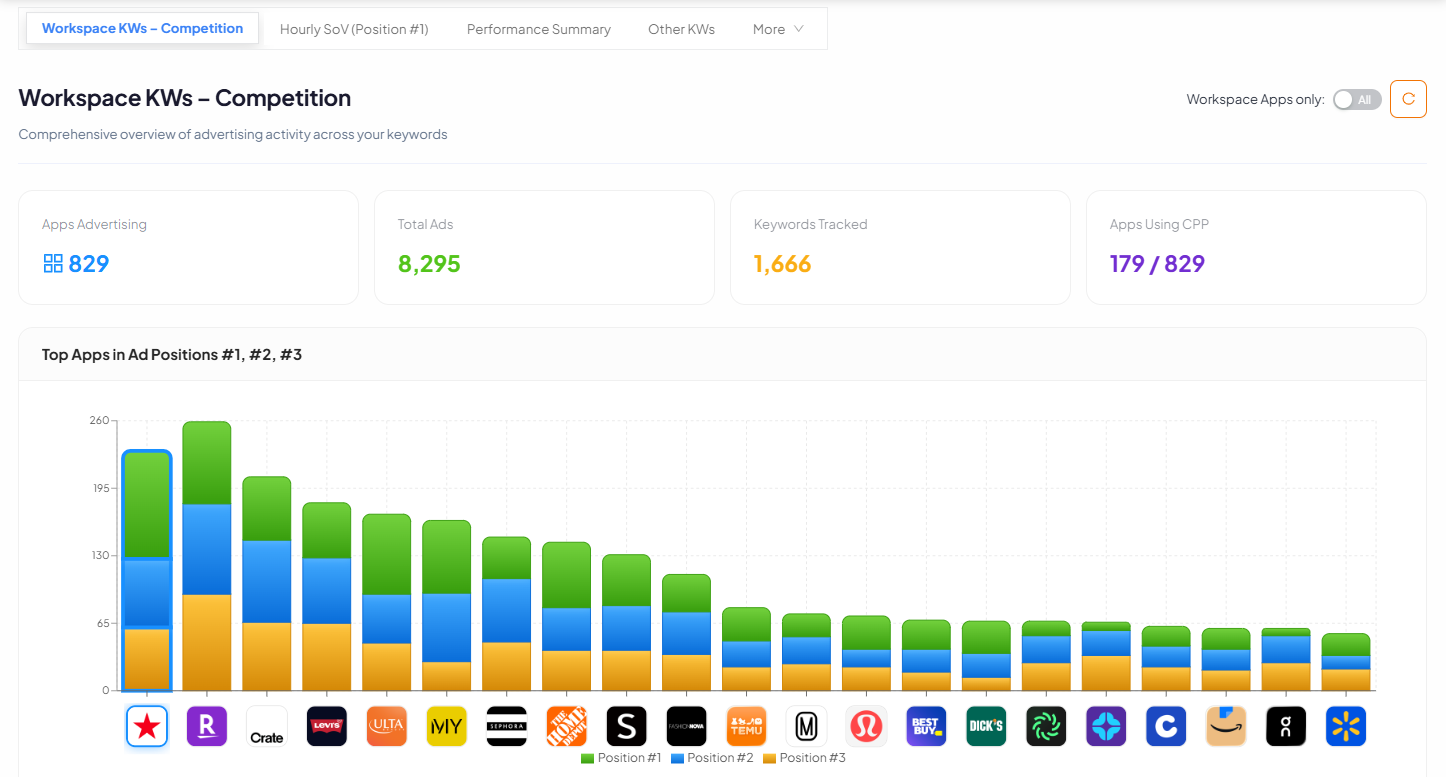
Looking at the data we got from APPlyzer, the focus is on showing auction outcomes across positions #1 to #5, so it is easier to understand whether you are truly competing for visibility, or just hovering behind the winners with no chance of delivery.
A practical plan to prepare (without over-complicating it) ⚙️
1. Group keywords by intent and role 🧠
Before March hits, it helps to decide what each cluster is for:
Brand defence: protect brand searches from competitors
Generic growth: scale high-intent non-brand terms
Competitor conquesting: selective and tightly measured
Efficiency long-tail: coverage with clear bid caps
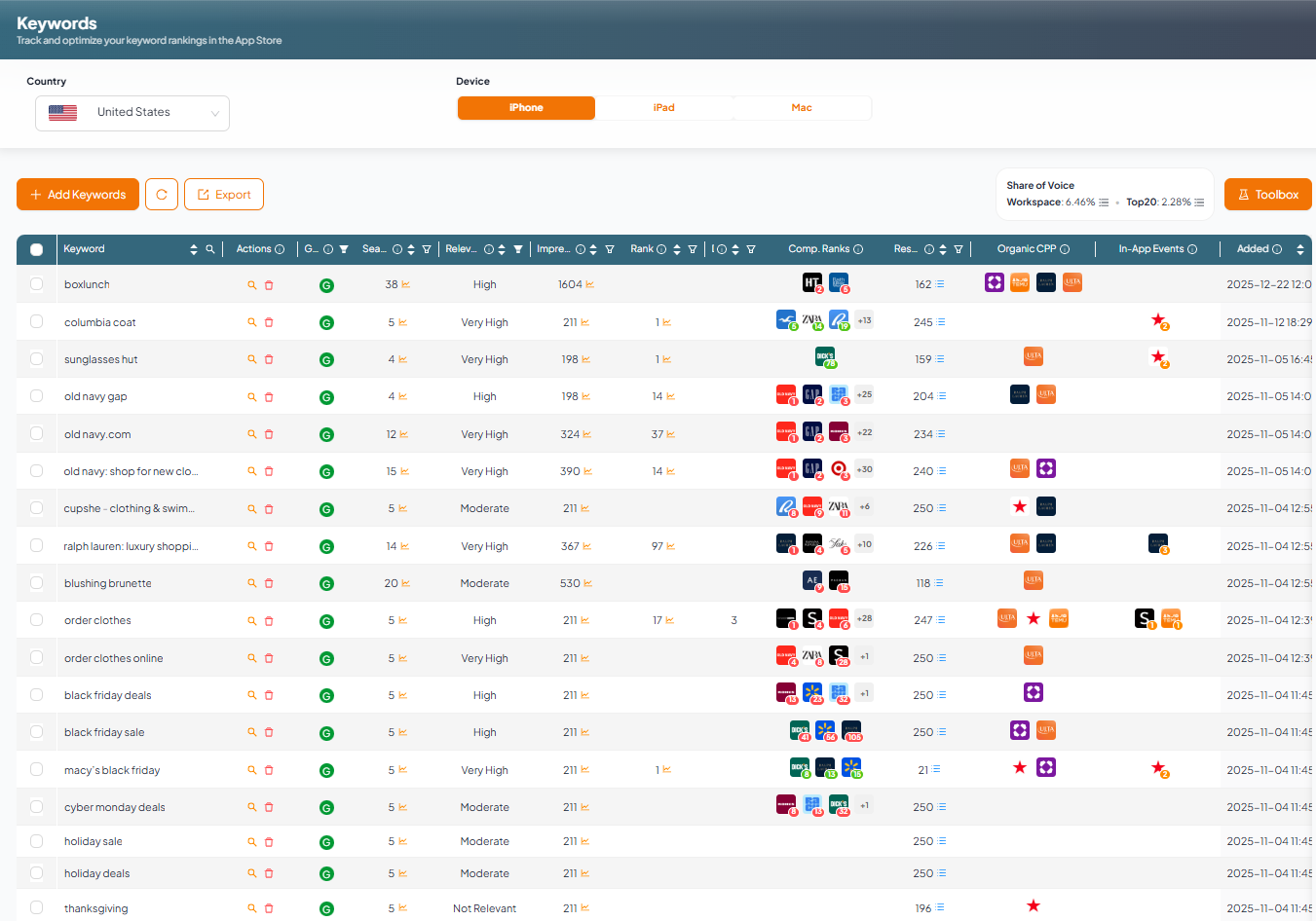
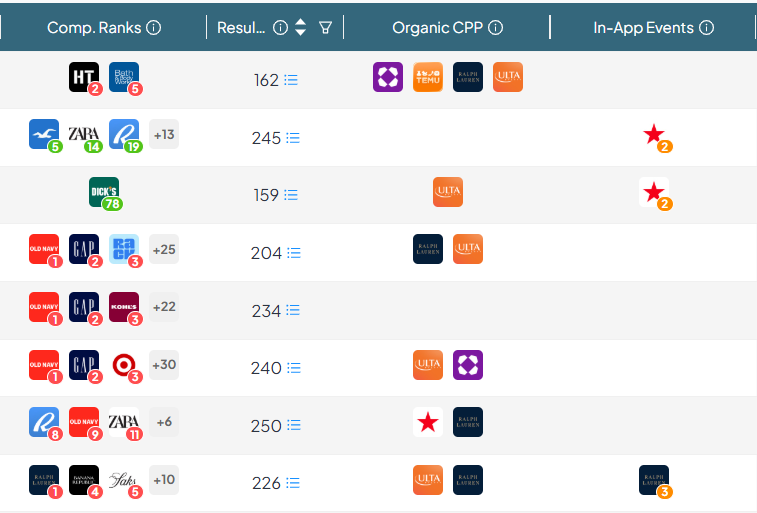
This becomes much easier when you can look at keywords with context, not just in isolation. Useful context includes:
impression opportunity
organic rank
competitor behaviour (including CPP usage)
2. Use “#2 to #5” as a preview of what might start spending 💸
Here is a quick way to think about it:
If you often rank #2 or #3 in the auction on a high-value term, you should assume you might start buying more visibility on that term once additional placements go live.
If you are often #4 or #5, you may suddenly get delivery that looks cheap at first, but might convert worse. That can still raise CPI.
A simple maths check that catches a lot of problems early:
If conversion rate drops, CPI rises even if CPT stays flat.
Example: CVR falls from 60% to 40%. CPI increases by 50% at the same CPT.
This is why tracking position plus conversion rate is going to matter more than ever.
3. Watch cannibalization properly, not just paid performance 👀
Expanded placements increase the chances that you pay for installs you would have received organically, especially on:
brand terms
category terms where you already rank highly
The trap looks like this:
Paid spend goes up
Paid installs go up
Total installs barely move (paid simply replaces organic)
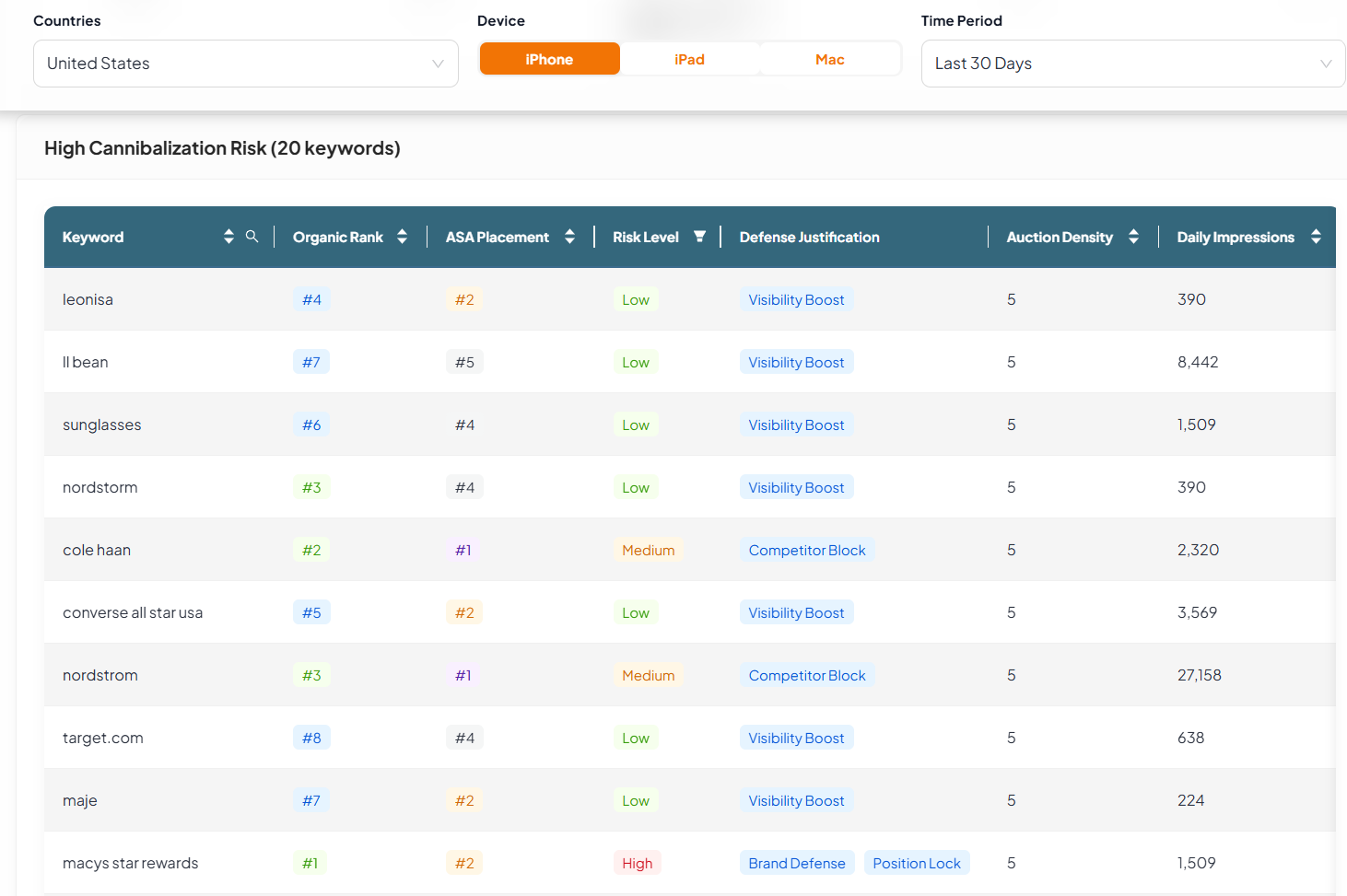
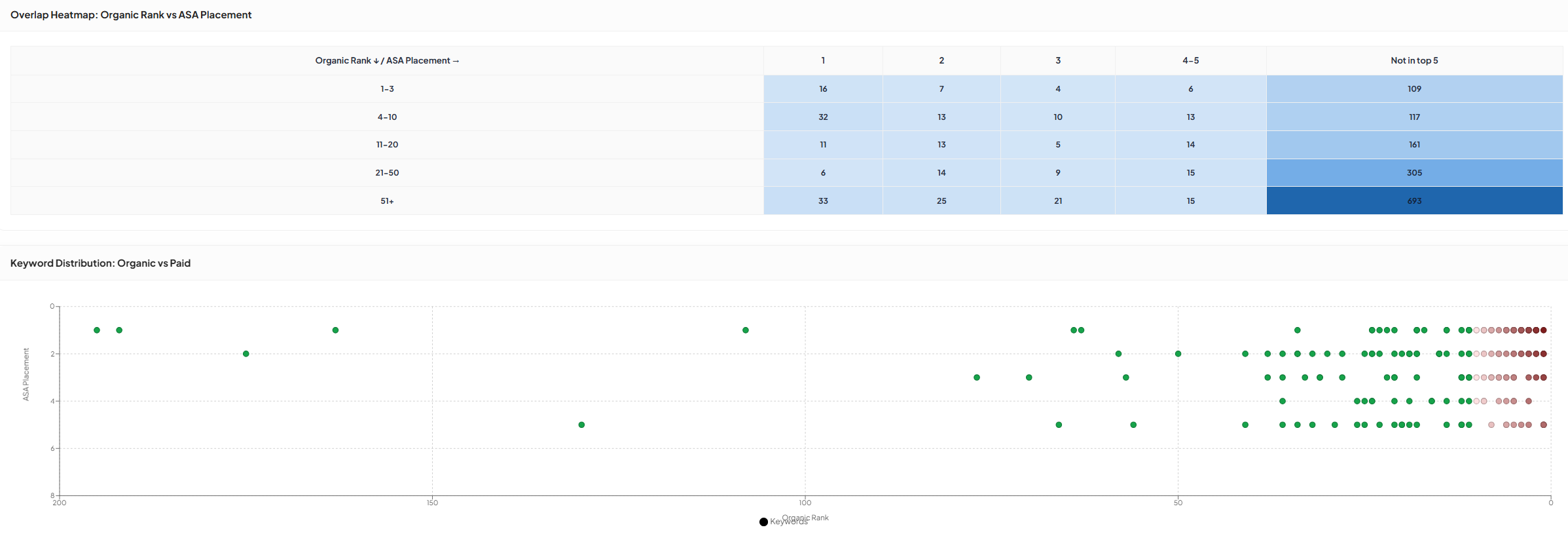
APPlyzer 26 includes a specific lens for spotting this, by looking at organic rank vs ASA presence and flagging high-risk keywords.
A simple rule of thumb that keeps teams honest:
If you are organic top 1 to 3 on a keyword and bidding aggressively on it, make sure there is a clear reason (defence, competitor blocking, promotions, CPP testing).
If you are outside the top 10 to 15, paid coverage is more likely to be genuinely incremental.
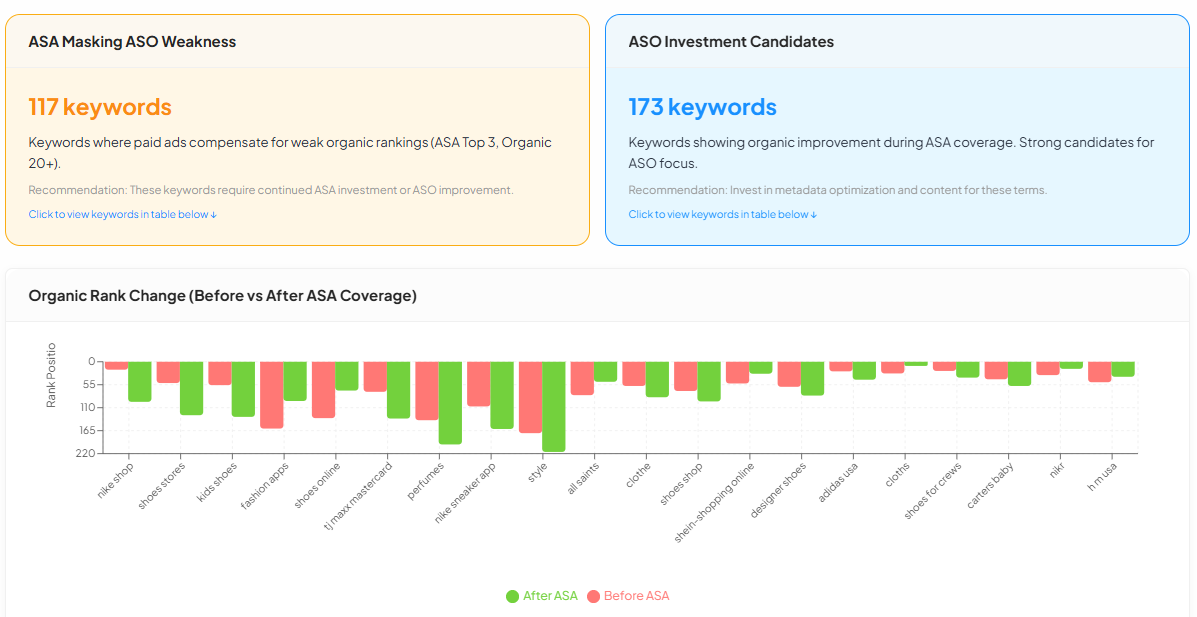
Separating “ASA is masking weak ASO” from “ASA supports visibility while ASO improves.”
4. Treat CPPs as a performance lever 🧪✨
With more placements, creative alignment matters even more. Users may see ads at different scroll depths, and intent can vary a lot depending on the keyword.
Custom Product Pages (CPPs) are a simple way to increase relevance and protect conversion rate. A few common CPP angles:
“free” / “budget” intent
feature-led intent
seasonal intent
brand vs generic intent
APPlyzer’s CPP explorer is great to show what competitors are doing at keyword level, so you can spot patterns quickly and test smarter.
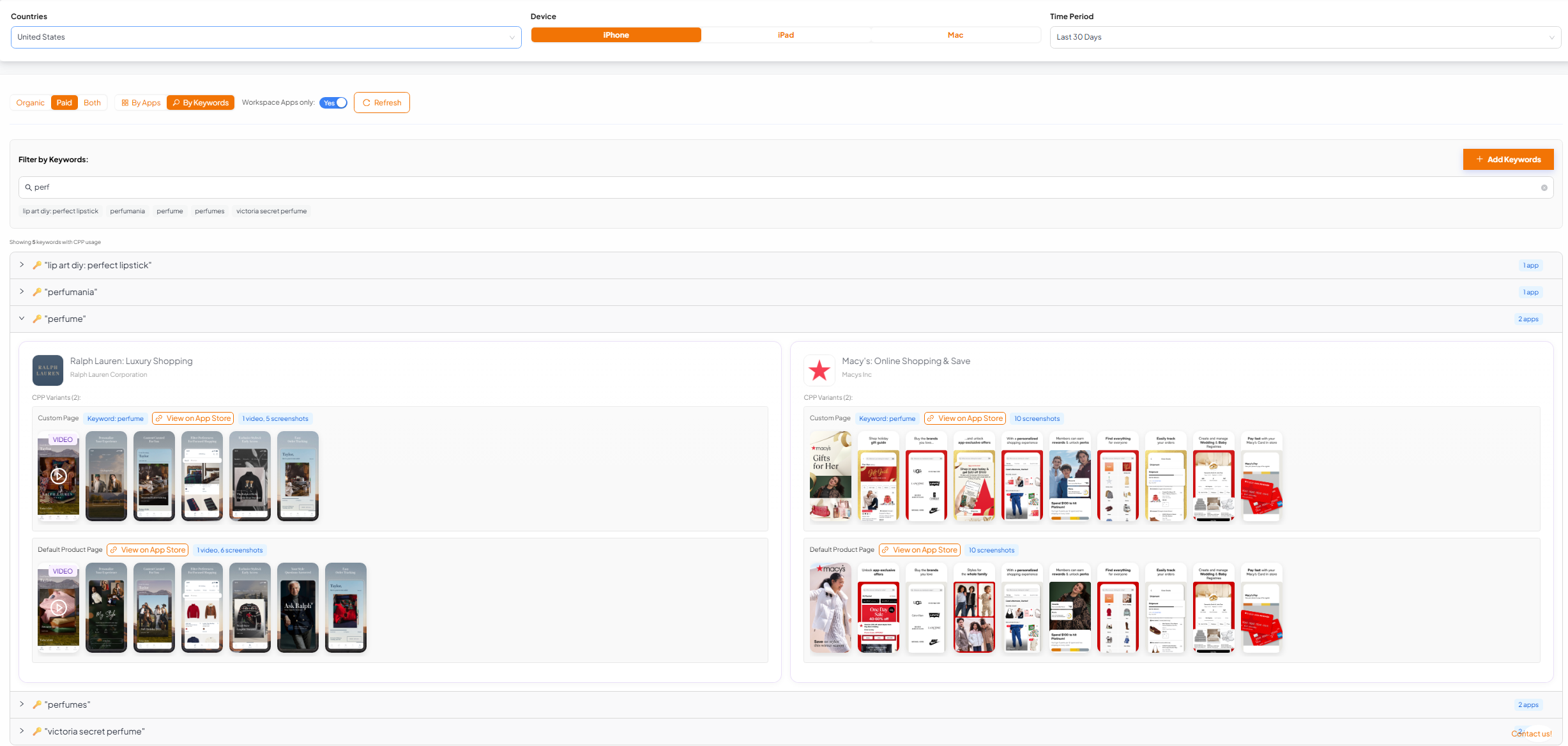
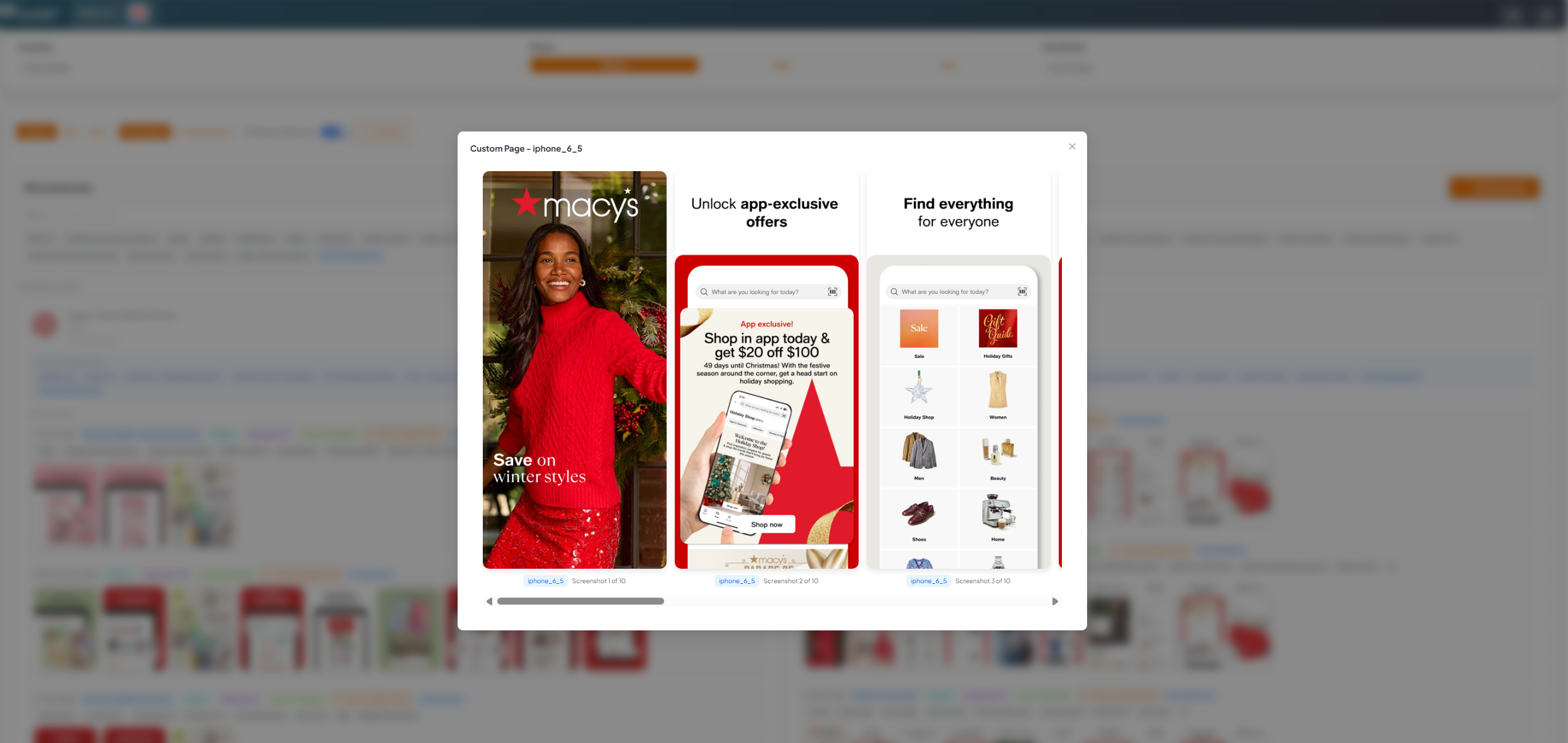
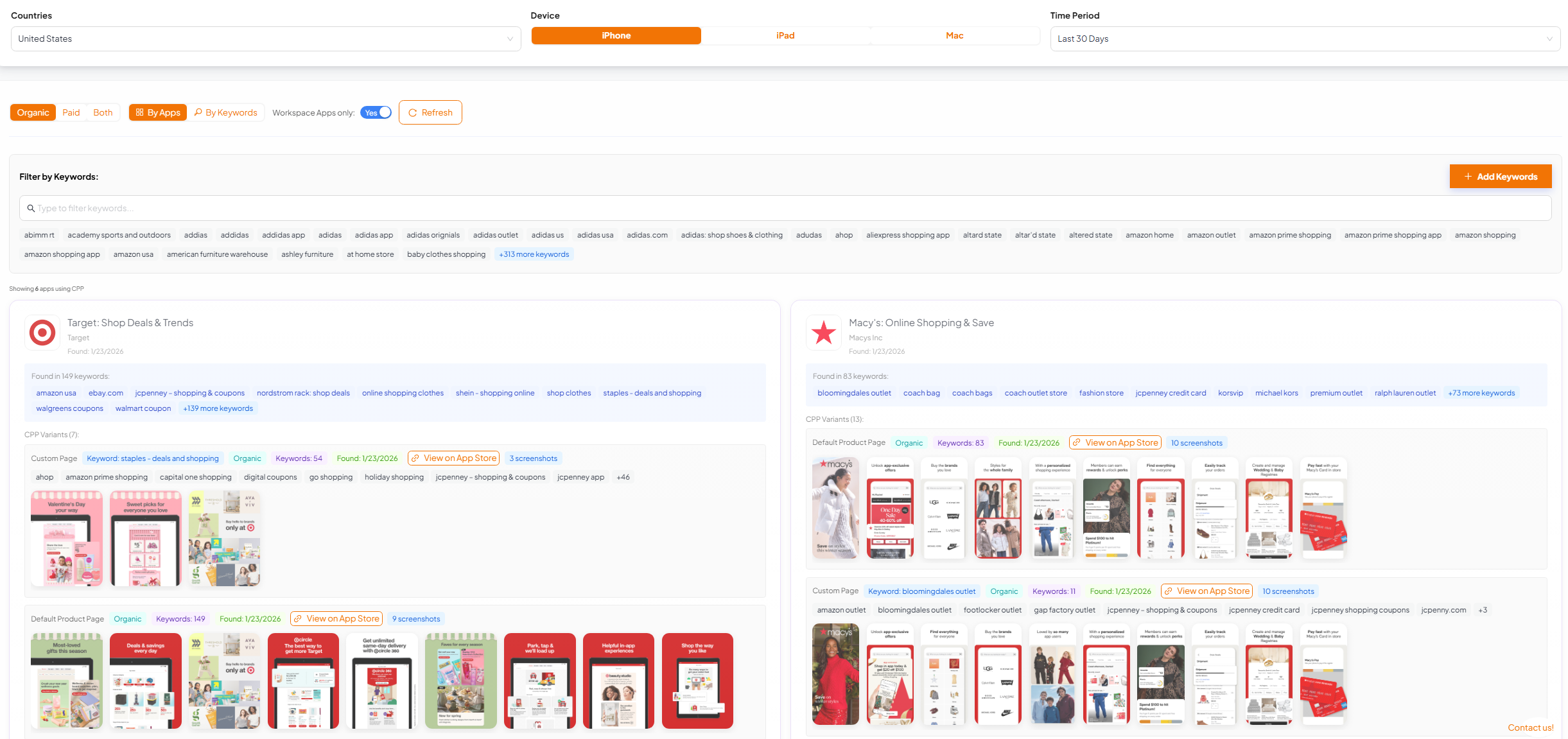
ASA CPP usage by keyword, including competitor creative and targeting signals.
What to monitor in the first two weeks after rollout ✅📊
March is when you want fast feedback loops. A weekly checklist that works:
Auction position distribution for priority keywords (#1 vs #2 to #5)
CPT, CVR and CPI shifts by keyword cluster (brand vs generic vs competitor)
Budget pacing (new inventory can spend quickly)
Organic rank changes on keywords with heavy paid overlap
CPP results and iteration speed (keep winners, retire losers)
Final thought 💡
More Search Results placements is an opportunity, but it is not “free scale”. The teams that win will be the ones that keep their footing on two questions:
Where do we land in the auction across positions #1 to #5?
Is this additional visibility incremental, or are we paying to replace organic?
The only place you can get at this data right now is APPlyzer, so given it has a free trial at the moment we absolutely recommend signing up and getting a feel for how ready your ASA setup is. The one certain thing we can say from this is that combining Apple Ads auction positioning & bid management with ASO visibility is going to be a MUST in 2026!
FAQ: New Apple Search Ads placements (March 2026) 🙋♂️🙋♀️
When do the new Apple Search Ads placements launch?
Apple has stated this rolls out in March 2026, phased across markets, reaching all markets by the end of March.
Where will the new ads appear?
Within Search Results, including the existing top slot and additional positions further down the results list.
Do I need to change my campaign structure?
No. Apple has said existing Search Results campaigns are automatically eligible for all available Search Results positions.
Can I choose which position my ad appears in?
No. Apple has said advertisers cannot select or bid for a specific position.
Will the new placements increase costs?
Potentially, yes. It can change auction dynamics and increase delivery. Even if CPT stays similar, a conversion rate drop can increase CPI, so monitor CPT and CVR together. Also, more placements = more taps = more $$$.
What data should Apple Search Ads managers focus on to prepare?
The most useful signals are:
auction position outcomes (#1 to #5)
impression opportunity
keyword segmentation (brand, generic, competitor)
CPP usage and creative strategy
organic rank overlap (to manage cannibalization)
How do I avoid cannibalizing organic installs?
Track organic rank and paid visibility together for the same keywords. Monitor blended outcomes (paid + organic), not just paid installs.
How can I see where my bids are likely to land?
Use a platform that provides auction outcome visibility across positions #1 to #5, then pair it with ASO rank data to judge incrementality. APPlyzer 26 is designed specifically for this combined ASA and ASO view.